
page speed optimization

technical-seo-audit-checklist
Interview

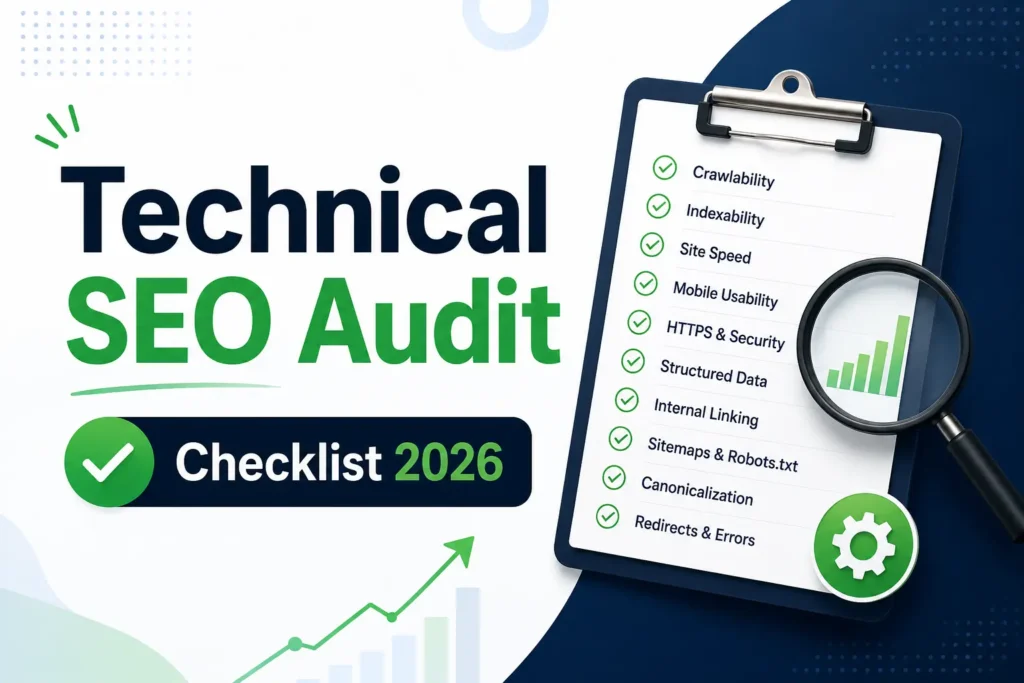
Technical SEO Audit Checklist I Use for Every Website

जब भी कोई नई Website मेरे पास Audit के लिए आती है, तो मैं सीधे Page Speed या Backlinks चेक करना शुरू नहीं करता। पिछले 1+ साल में SEO Executive के रूप में काम करते हुए मैंने एक चीज़ सीखी है कि अधिकांश Websites Ranking इसलिए नहीं खोतीं क्योंकि उनका Content खराब होता है, बल्कि इसलिए क्योंकि Google उस Content को सही तरीके से Crawl, Index और Understand नहीं कर पाता। शुरुआत में मैं भी वही गलती करता था जो ज़्यादातर Beginners करते हैं। Website खोलते ही Meta Title, Meta Description और Keywords देखने लग जाता था। लेकिन धीरे-धीरे Real Projects पर काम करते हुए समझ आया कि कई बार समस्या Content में नहीं बल्कि Website के Technical Foundation में होती है। कई Websites ऐसी मिलीं जिनका Content Competitors से बेहतर था, लेकिन फिर भी Ranking नहीं आ रही थी। जब मैंने Detail Analysis किया तो पता चला कि कहीं Pages Index ही नहीं हो रहे थे, कहीं XML Sitemap सही नहीं था, कहीं Robots.txt महत्वपूर्ण Pages को Block कर रहा था और कहीं Crawl Errors की वजह से Google Pages तक पहुंच ही नहीं पा रहा था। इसी Experience के आधार पर मैंने एक Technical SEO Audit Process तैयार किया है जिसे मैं लगभग हर Website पर Follow करता हूँ। यह कोई Theory Based Checklist नहीं है बल्कि यह कोई theory नहीं, बल्कि Real Projects पर काम करते हुए तैयार की गई Practical SEO Process है।  Technical SEO Audit क्या होता है? सरल भाषा में समझें तो Technical SEO Audit वह Process है जिसमें हम यह Check करते हैं कि Search Engines Website को सही तरीके से Crawl, Render, Index और Understand कर पा रहे हैं या नहीं। कई बार Website Owner सोचता है कि उसने अच्छा Content Publish कर दिया है तो Ranking अपने आप आ जाएगी। लेकिन Google का पहला काम Content पढ़ना नहीं होता, उसका पहला काम Website को Crawl करना होता है। अगर Googlebot आपकी Website तक सही तरीके से पहुंच ही नहीं पा रहा है तो Content कितना भी अच्छा क्यों न हो, उसका पूरा benefit नहीं मिल पाएगा। यही कारण है कि मैं किसी भी Website का Audit शुरू करने से पहले Technical SEO Analysis करता हूँ। Step 1: Google Search Console Analysis मेरे Audit Process की शुरुआत हमेशा Google Search Console से होती है। अगर कोई SEO Professional Audit करते समय Google Search Console नहीं देख रहा, तो वह Website की आधी कहानी ही देख रहा है। Google Search Console मुझे सीधे Google की तरफ से Data देता है। यहाँ मुझे पता चलता है कि Google Website को किस तरह देख रहा है। जब मैं किसी नई Website का Audit करता हूँ, तो सबसे पहले निम्न Sections देखता हूँ: Pages Report Performance Report Sitemaps Manual Actions Security Issues लेकिन मेरा सबसे ज्यादा ध्यान Pages Report पर रहता है। क्योंकि यहीं से मुझे Indexing Issues का पता चलता है। कई बार Website Owner कहता है: “हमने 100 Articles Publish किए हैं।” लेकिन जब मैं Search Console खोलता हूँ तो पता चलता है कि उनमें से सिर्फ 60 Pages ही Indexed हैं। Remaining Pages: Crawled – Currently Not Indexed Discovered – Currently Not Indexed Duplicate Without User Selected Canonical जैसी Categories में पड़े होते हैं। ऐसी स्थिति में नए Content Publish करने से पहले Existing Indexing Problems को ठीक करना ज्यादा जरूरी होता है। Step 2: Indexing Issues Check करना मेरे अनुभव के अनुसार ज्यादातर Websites की सबसे बड़ी समस्या Indexing होती है। कई लोग Ranking पर Focus करते हैं लेकिन यह नहीं देखते कि Page Google के Index में है भी या नहीं। जब कोई Page Index ही नहीं होगा तो वह Rank कैसे करेगा? इसलिए मैं Audit के दौरान सबसे पहले यह समझने की कोशिश करता हूँ कि कौन से Pages Indexed हैं और कौन से Pages Indexing Problems का सामना कर रहे हैं। मैं निम्न Questions खुद से पूछता हूँ: क्या सभी महत्वपूर्ण Pages Indexed हैं? क्या कोई Important Landing Page Excluded है? क्या Blog Posts Properly Index हो रही हैं? क्या Google Duplicate Pages Detect कर रहा है? कई बार मैंने देखा है कि Websites पर Valuable Content मौजूद होता है लेकिन Google उसे Index नहीं कर रहा होता। ऐसे मामलों में समस्या अक्सर Content नहीं बल्कि Technical Signals होते हैं। उदाहरण के लिए: Weak Internal Linking Incorrect Canonical Tags Thin Content Duplicate Content Crawl Budget Waste इन Factors को समझे बिना Indexing Problem Solve करना मुश्किल होता है। Step 3: Crawl Errors Analysis अगर Technical SEO Audit का कोई ऐसा हिस्सा है जिसे अधिकांश लोग Ignore करते हैं, तो वह Crawl Errors हैं। जब Googlebot आपकी Website Visit करता है, तो वह Pages को Crawl करने की कोशिश करता है। लेकिन कई बार उसे विभिन्न Errors मिलते हैं। जैसे: 404 Errors Soft 404 Errors Redirect Chains Server Errors Blocked Resources Audit करते समय मैं हमेशा Crawl Errors पर विशेष ध्यान देता हूँ। क्योंकि Crawl Errors सिर्फ User Experience को ही प्रभावित नहीं करते, बल्कि Search Engine Efficiency को भी प्रभावित करते हैं। मान लीजिए आपकी Website पर 500 Pages हैं और उनमें से 100 Pages Broken URLs की तरफ Redirect हो रहे हैं। ऐसी स्थिति में Googlebot का समय और Crawl Budget दोनों Waste होंगे। इसीलिए मैं Audit के दौरान Broken Pages, Redirect Issues और Error Pages की पूरी List निकालता हूँ। Step 4: XML Sitemap Review मैंने कई Websites पर काम करते समय एक Common Problem देखी है। Website Owner सोचता है कि Sitemap Automatically Generate हो गया है, इसलिए सब कुछ सही होगा। लेकिन वास्तविकता हमेशा ऐसी नहीं होती। XML Sitemap Google के लिए Website का Roadmap होता है। यह Search Engine को बताता है कि Website पर कौन-कौन से Pages मौजूद हैं और किन Pages को Crawl करना महत्वपूर्ण है। जब मैं Sitemap Review करता हूँ, तो मैं सिर्फ यह नहीं देखता कि Sitemap खुल रहा है या नहीं। मैं यह भी चेक करता हूँ: क्या Sitemap Updated है? क्या Important URLs Sitemap में मौजूद हैं? क्या Deleted Pages Sitemap में शामिल हैं? क्या Noindex Pages Sitemap में हैं? क्या Sitemap Google Search Console में

Technical SEO Audit Checklist I Use for Every Website Read Post »
core-web-vitals
Technical SEO

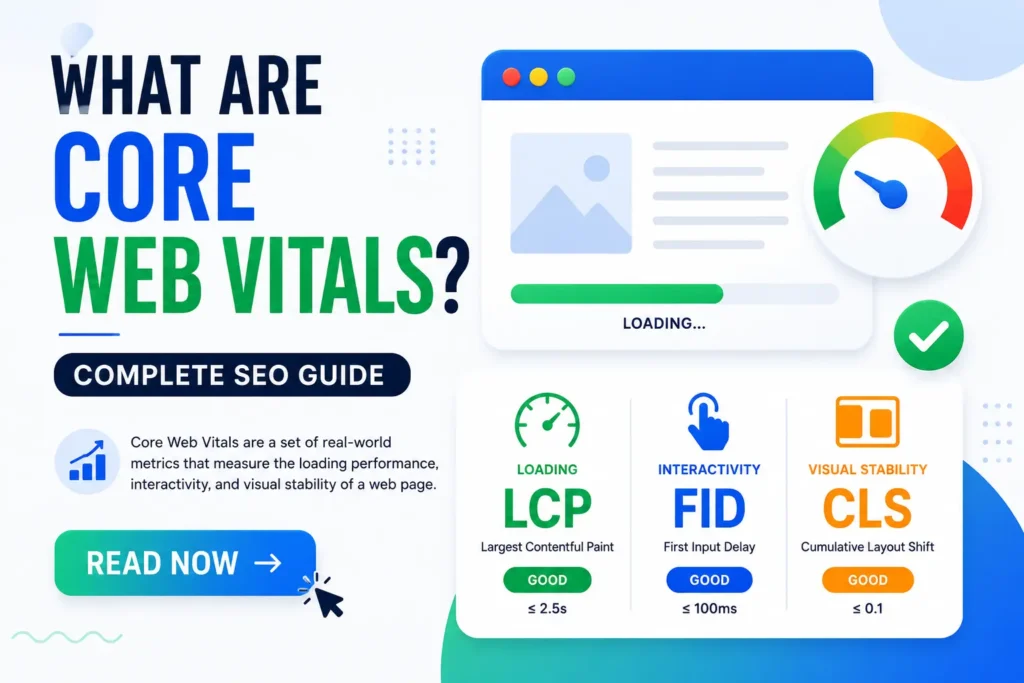
What Are Core Web Vitals? Complete SEO Guide

आज के समय में हम सभी चाहते हैं कि website तुरंत open हो जाए। लेकिन सोचिए, अगर आपने किसी shopping website पर click किया और page खुलने में 8–10 सेकंड लग गए, button अचानक इधर-उधर shift होने लगे या tap करने पर response ही न मिले—तो शायद आप तुरंत website छोड़ देंगे। यही user frustration Google भी समझता है। इसी वजह से Core Web Vitals SEO में एक महत्वपूर्ण topic बन चुका है। अगर आसान भाषा में समझें, तो Core Web Vitals ऐसे performance metrics हैं जो website की speed, responsiveness और visual stability को measure करते हैं। Google इन्हें page experience signals का हिस्सा मानता है ताकि users को बेहतर browsing experience मिल सके। खासतौर पर mobile users के लिए website performance पहले से ज्यादा महत्वपूर्ण हो गई है। जब मैंने पहली बार एक client की WordPress website का PageSpeed report देखा, तब समझ आया कि सिर्फ अच्छा content काफी नहीं होता। Website useful होने के बावजूद poor loading experience visitors को दूर कर सकता है। सबसे interesting बात यह है कि कई websites traffic होने के बावजूद खराब user experience की वजह से conversions lose कर देती हैं। इसलिए Core Web Vitals को समझना सिर्फ SEO नहीं, बल्कि user satisfaction के लिए भी जरूरी है। Core Web Vitals Google के ऐसे performance metrics हैं जो website की loading speed, responsiveness और visual stability को measure करते हैं। इनमें मुख्य रूप से LCP, INP और CLS शामिल हैं। सही core web vitals optimization website experience और SEO performance को बेहतर बनाने में मदद कर सकती है। What Are Core Web Vitals और SEO में ये क्यों जरूरी हैं? Core Web Vitals का सबसे आसान जवाब यह है कि ये Google के website experience measurement signals हैं। इनका उद्देश्य users को fast, stable और responsive browsing experience देना है। Core Web Vitals एक ऐसी performance measurement system है जो website usability को evaluate करती है। Google इसे ranking consideration के रूप में use कर सकता है क्योंकि poor experience visitors को frustrate कर सकता है। core web vitals seo में इसलिए महत्वपूर्ण माने जाते हैं क्योंकि ये सिर्फ speed नहीं बल्कि overall interaction quality को भी measure करते हैं। अगर भारतीय उदाहरण लें, तो imagine कीजिए कि आप online food order कर रहे हैं लेकिन app बार-बार freeze हो रही है और payment button अचानक move कर रहा है। Chances हैं कि आप order ही cancel कर दें। Website experience में भी यही logic लागू होता है। जब मैंने पहली बार एक educational blog की audit की थी, तब content strong होने के बावजूद bounce rate high था। बाद में पता चला कि homepage heavy images की वजह से slow load हो रहा था। Optimization के बाद engagement बेहतर दिखाई दी। हालांकि यह समझना जरूरी है कि सिर्फ Core Web Vitals improve करने से ranking instantly बढ़ जाए ऐसा हर case में नहीं होता। Industry experts के अनुसार, बेहतर page experience long-term engagement improve करने में मदद कर सकता है। Google Core Web Vitals में LCP, INP और CLS क्या होते हैं? Google core web vitals तीन प्रमुख metrics पर आधारित होते हैं: LCP, INP और CLS। ये website performance के अलग-अलग aspects को measure करते हैं। LCP (Largest Contentful Paint) website के main visible content के load होने का समय measure करता है। आसान शब्दों में, user को सबसे बड़ा visible element कितनी जल्दी दिखाई देता है। INP (Interaction to Next Paint) यह measure करता है कि user interaction जैसे click या tap पर website कितनी जल्दी respond करती है। CLS (Cumulative Layout Shift) visual stability check करता है। इसका मतलब page loading के दौरान elements अचानक move तो नहीं कर रहे। LCP, INP और CLS को आसान भाषा में कैसे समझें? अगर इसे restaurant analogy से समझें, तो LCP ऐसा है जैसे खाना कितनी जल्दी table पर आया। INP ऐसा है जैसे waiter आपके order का response कितनी जल्दी देता है। CLS ऐसा है जैसे खाना खाते समय table अचानक हिलने लगेob viously experience खराब होगा। जब मैंने पहली बार एक E-Commerce homepage test किया, तब banner images इतनी heavy थीं कि LCP खराब हो रहा था। दूसरी तरफ JavaScript-heavy buttons की वजह से INP भी slow था। इससे समझ आया कि website performance सिर्फ internet speed पर depend नहीं करती। Research studies ने दिखाया है कि slow-loading pages higher abandonment rate create कर सकती हैं। Core Web Vitals Optimization कैसे करें? Core web vitals optimization website performance improve करने की process है। इसका उद्देश्य users को faster और smoother experience देना होता है। Core Web Vitals Optimization एक ऐसी technical SEO practice है जिसमें loading speed, responsiveness और layout stability improve की जाती है। इसका मतलब सिर्फ PageSpeed score बढ़ाना नहीं बल्कि real-world usability बेहतर करना होता है। कुछ practical optimization areas इस प्रकार हैं: Heavy images को WebP format में convert करना Lazy Loading enable करना Unused JavaScript और CSS reduce करना CDN use करना Better Hosting choose करना Page Speed Optimization में कौन सी चीजें सबसे ज्यादा असर डालती हैं? Page speed optimization website performance improve करने का process है जिसमें loading delays कम करने पर focus किया जाता है। अगर Indian example लें, तो imagine कीजिए कि highway पर unnecessary traffic barriers लगे हों। Vehicles slow हो जाएँगी। ठीक उसी तरह extra scripts, large images और poor hosting website loading को slow कर सकते हैं। जब मैंने पहली बार एक WordPress news site optimize की, तब सिर्फ image compression और caching enable करने से noticeable loading improvement दिखाई दी। लेकिन यह समझना जरूरी है कि हर website का bottleneck अलग हो सकता है। Industry experts के अनुसार, lightweight design और optimized assets better performance support कर सकते हैं। Mobile Page Speed और Website Loading Speed क्यों महत्वपूर्ण हैं? Mobile page speed और website loading speed आज SEO में पहले से ज्यादा important बन चुके हैं क्योंकि अधिकतर users mobile devices पर browsing करते हैं। Website loading speed एक ऐसा measurement है जो बताता है कि webpage कितनी जल्दी usable बनता है। दूसरी तरफ mobile page speed खासतौर पर smartphone experience पर focus करता

What Are Core Web Vitals? Complete SEO Guide Read Post »

You have been successfully Subscribed! Ops! Something went wrong, please try again.

About Us

Techy Notes is a digital learning platform offering Digital Marketing Notes, SEO resources, AI learning content, and practical technology guides in Hindi.

Recent news

  • All Post
  • AI Prompts
  • Artificial Intelligence
  • Career Guidance
  • Digital Marketing Tools
  • Interview
  • Jobs
  • SEO
    •   Back
    • Keyword Research
    • On Page Seo
    • Technical SEO
    • Off Page SEO

© 2026 Created By Techy Notes