Interview

I Will find interview related blogs here.

video-editing-jobs-in-lucknow
Interview

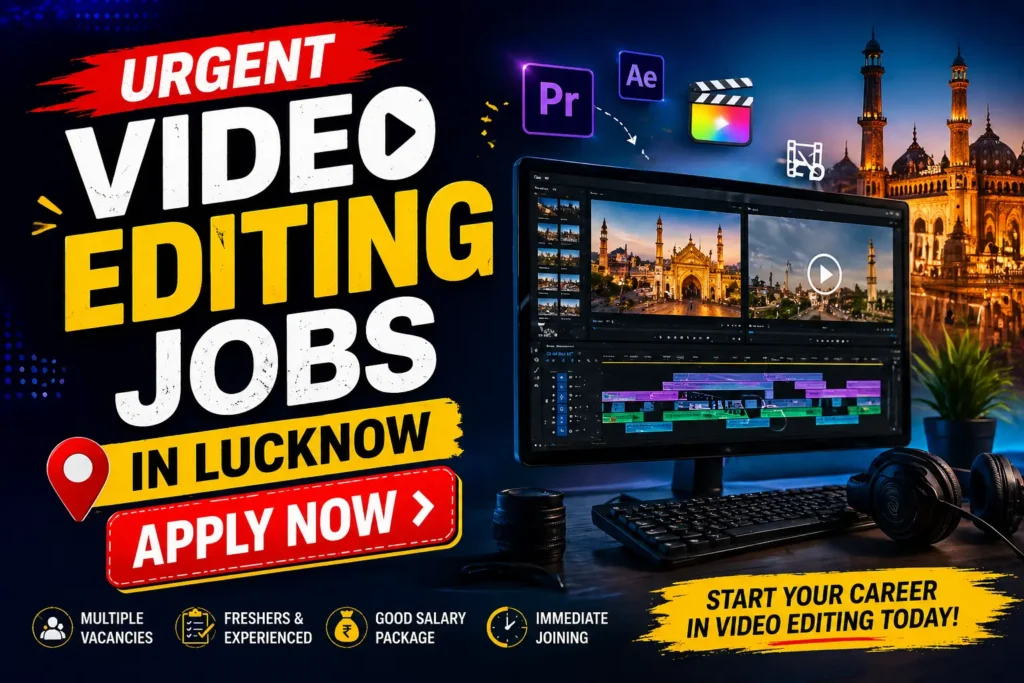
Urgent Video Editing Jobs in Lucknow Apply Now

आज के समय में Instagram reels, YouTube videos और digital content का trend तेजी से बढ़ रहा है, और इसी के साथ Video Editing Jobs in Lucknow की demand भी लगातार बढ़ती जा रही है। अगर आपके पास video editing skill है और आप Lucknow में job ढूंढ रहे हैं, तो आपके लिए एक शानदार opportunity सामने आई है। Ommune IT Solution ने Video Editor के लिए vacancy निकाली है, जो खासतौर पर experienced candidates के लिए है। मैंने खुद कई local agencies के साथ काम करते हुए यह देखा है कि Lucknow जैसे शहरों में video editors की demand पहले से कहीं ज्यादा बढ़ चुकी है, क्योंकि हर business अब online presence पर focus कर रहा है। यह job सिर्फ एक employment opportunity नहीं है, बल्कि एक ऐसा मौका है जहाँ आप अपनी creative skills को real-world projects में apply कर सकते हैं। अगर आप सही तरीके से apply करते हैं और अपना portfolio strong रखते हैं, तो इस तरह की opportunities आपके career को तेजी से grow कर सकती हैं। Job Overview Company Name: Ommune IT Solution Job Role: Video Editor Location: Lucknow (Gomti Nagar) Job Type: Full-Time (Work from Office) Salary: Interview के अनुसार Experience Required: Minimum 1 Year Apply Mode: Online / Email About Ommune IT Solution Ommune IT Solution एक growing IT और digital marketing company है, जो content creation, branding और online marketing services provide करती है। यह company एक ऐसी working environment provide करती है जहाँ creative professionals को काम करने और सीखने का मौका मिलता है। Lucknow में कई startups अभी digital transformation की तरफ बढ़ रहे हैं, और Ommune IT Solution उन्हीं companies में से एक है जो digital content creation पर focus कर रही है। Industry experts के अनुसार, digital marketing और video content industry अगले कुछ सालों में और तेजी से grow करेगी । इसका मतलब यह है कि video editors के लिए long-term career opportunities भी बढ़ेंगी। Job Description – Video Editor ka role kya hoga इस role में आपका मुख्य काम raw video content को engaging और professional format में convert करना होगा। Video Editing Jobs in Lucknow में यह role बहुत important होता है क्योंकि brands अपने audience को attract करने के लिए high-quality content पर depend करते हैं। इस job में आपको: YouTube videos edit करने होंगे Social media reels और short videos create करने होंगे Raw footage को structured video में convert करना होगा Audio sync, transitions और effects add करने होंगे Content team के साथ collaborate करना होगा जब मैंने एक local business campaign पर काम किया, तो simple reels editing के जरिए उनकी engagement rate significantly बढ़ गई। इससे यह समझ आता है कि video editing सिर्फ technical skill नहीं बल्कि marketing tool भी है। अगर इसे analogy से समझें, तो video editor एक storyteller की तरह होता है जो visuals के जरिए message deliver करता है। Skills Required for Video Editing Jobs in Lucknow Video Editing Jobs in Lucknow के लिए सिर्फ software knowledge काफी नहीं होता, बल्कि creativity और understanding भी जरूरी होती है। इस job के लिए आपको: Premiere Pro, After Effects, CapCut जैसे tools का knowledge होना चाहिए Creativity और storytelling skill होना चाहिए Social media trends की understanding होनी चाहिए Time management और deadline handling आना चाहिए मैंने कई hiring processes में यह observe किया है कि जिन candidates के पास strong portfolio होता है, उन्हें ज्यादा जल्दी selection मिलता है। सबसे important insight यह है कि software सीखना आसान है, लेकिन creative सोच develop करना time लेता है।  Eligibility Criteria इस job के लिए eligibility simple है लेकिन focused है: Minimum 1 साल का experience जरूरी है Freshers के लिए यह role suitable नहीं है Candidates के पास basic practical experience होना चाहिए Creative mindset और learning attitude जरूरी है यह समझना जरूरी है कि companies experienced candidates को इसलिए prefer करती हैं क्योंकि उन्हें immediate output चाहिए होता है। लेकिन अगर आपने freelance या internship में काम किया है, तो वह भी experience के रूप में count हो सकता है। Selection Process इस job का selection process simple और practical है: Resume shortlisting Interview (Online या Offline) Practical test (अगर required हुआ) जब मैंने hiring process analyze किया, तो पाया कि practical test में performance सबसे ज्यादा matter करता है। इसलिए जरूरी है कि आप अपना portfolio और skills पहले से prepare रखें। अगर इसे analogy से समझें, तो interview सिर्फ entry gate है, लेकिन selection आपकी skills decide करती हैं। How to Apply for Video Editing Job Vacancy in Lucknow अगर आप video editing job vacancy in lucknow के लिए apply करना चाहते हैं, तो नीचे दिए गए steps follow करें: 👉 Apply Link: https://ommune.com/ 👉 Email: hr@ommune.in 👉 Contact Number: 9316295399 Apply करते समय ध्यान रखें: Resume professional होना चाहिए Portfolio link जरूर attach करें Previous work samples include करें मैंने खुद देखा है कि customized application भेजने वाले candidates को ज्यादा जल्दी response मिलता है। Location Details – Work from Office Job यह job Lucknow के Gomti Nagar area में है, जो IT और business hub के रूप में तेजी से develop हो रहा है। video editing jobs lucknow work from office roles में आपको team collaboration और real-time learning का फायदा मिलता है। जब मैंने office environment में काम किया, तो team interaction से learning speed काफी बढ़ गई। दूसरी तरफ, remote jobs में flexibility ज्यादा होती है लेकिन guidance कम मिलती है। यह समझना जरूरी है कि beginners और early-level professionals के लिए office job ज्यादा beneficial होती है। Video Editing Jobs Near Me Lucknow  अगर आप video editing jobs near me lucknow search कर रहे हैं, तो आपको सही platforms और strategy use करनी होगी। LinkedIn और Indeed पर regular search करें Local Facebook groups join करें Direct company websites पर apply करें Networking build करें जब मैंने local community groups join किए, तो कई hidden job opportunities मिलीं जो job portals पर available नहीं थीं। इससे एक insight मिलता है — job search सिर्फ online नहीं बल्कि networking-based भी होती है। Why You Should Apply इस job

Urgent Video Editing Jobs in Lucknow Apply Now Read Post »

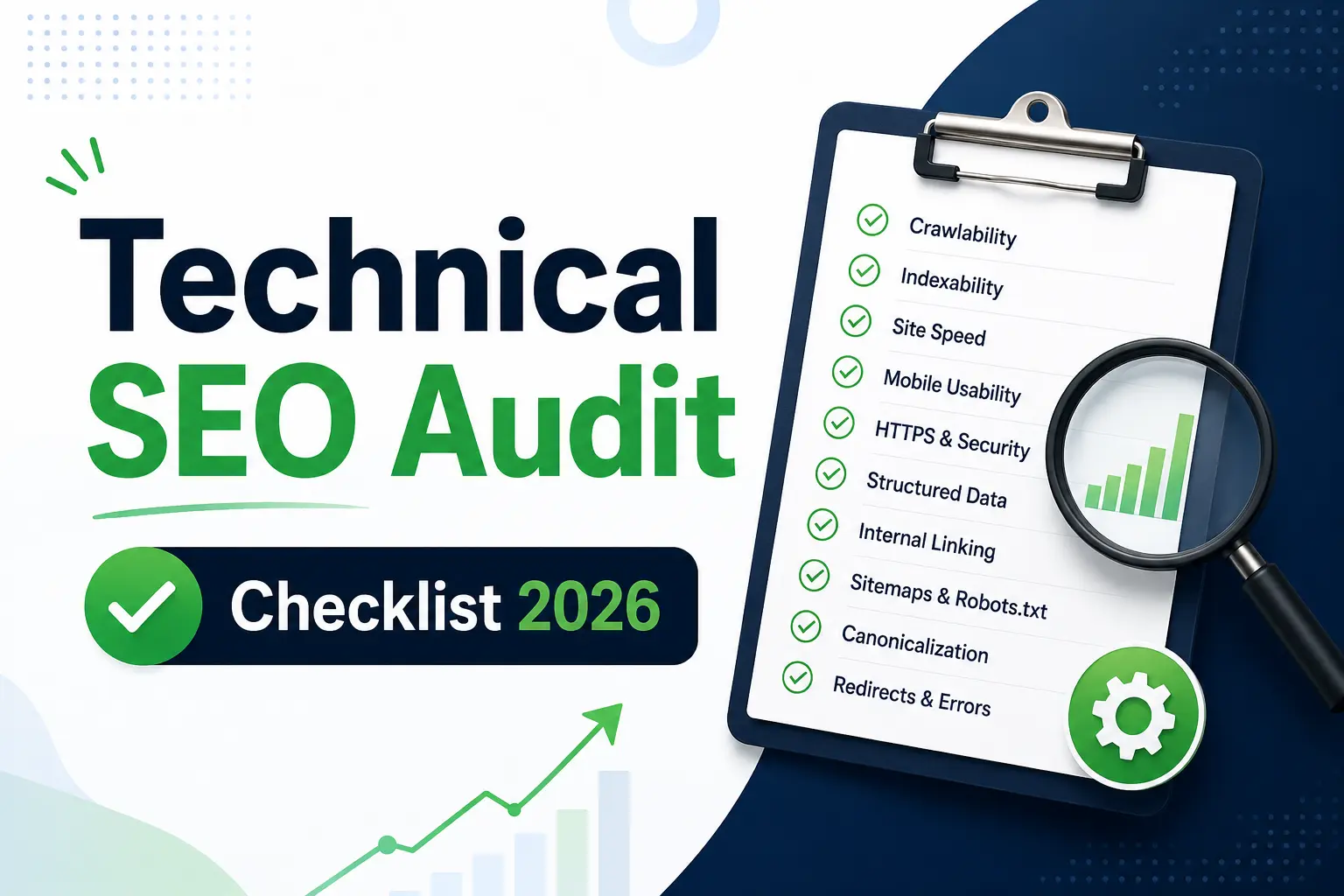
seo-interview-questions
Interview

Top 70 SEO Interview Questions 2026 AEO, AIO & GEO

Aaj ke SEO interviews me sirf theory bolna enough nahi hai… companies ab real execution, AI understanding aur problem-solving skills test karti hain. Agar tum SEO Executive role ke liye prepare kar rahe ho, toh tumhe SEO Interview Questions ke answers aise dene honge jo practical + example-based ho. Yeh guide tumhe seo interview questions and answers 2026 provide karega jisme har question English me hai (user intent match ke liye) aur answer Hinglish me detailed explanation + real examples ke saath diya gaya hai. 1. What is SEO? SEO (Search Engine Optimization) ek aisi process hai jisme website ko optimize kiya jata hai taaki wo search engine results (Google) me higher rank kare aur organic (free) traffic attract kare. Real Example: Maan lo tumhari ek website hai techynotes.in jahan tum “SEO Interview Questions” par blog likhte ho. Agar tum: Proper keyword research karte ho SEO-friendly title likhte ho Internal linking karte ho Page speed optimize karte ho Toh Google tumhare page ko relevant aur useful samajhkar rank karega. Interview-level answer tip: “SEO is not just ranking, it is about improving visibility, user experience, and driving qualified traffic.” Analogy: SEO ek shop ko main market me lane jaisa hai agar shop visible hai toh customers automatically aayenge. 2. How do search engines work? Search engines mainly 3 steps me kaam karte hain: Crawling → Indexing → Ranking Real Example: Google bot tumhari website par aata hai aur tumhare pages ko scan karta hai (crawling). Phir wo pages ko apne database me store karta hai (indexing). Jab user search karta hai, Google best relevant pages ko order me show karta hai (ranking). Practical Explanation: Agar tumne apna blog publish kiya lekin sitemap submit nahi kiya, toh Google ko pata hi nahi chalega ki page exist karta hai result: ranking nahi milegi. Interview Tip: Always mention tools: “Google Search Console helps in indexing and monitoring crawling issues.” Analogy: Library system pehle books collect hoti hain, phir arrange hoti hain, phir reader ko di jaati hain. 3. What is the difference between On-page and Off-page SEO? On-page SEO website ke andar hone wale optimizations hote hain, jabki Off-page SEO website ke bahar hone wale signals hote hain jo authority build karte hain. Real Example: Maan lo tumne ek blog likha “Best Shoes Under 1000” On-page: keyword optimization, headings, images Off-page: us blog ke liye backlinks banana Practical Insight: Agar tumhara content strong hai (on-page) lekin backlinks nahi hain, toh ranking slow hogi. Aur agar backlinks hain lekin content weak hai, toh ranking sustain nahi karegi. Interview Tip Line: “On-page builds relevance, Off-page builds authority dono ka balance zaroori hai.” Analogy: On-page = Tumhari knowledge Off-page = Log tumhe kitna recommend karte hain 4. What is Keyword Research? Keyword research ek aisi process hai jisme hum identify karte hain ki users kya search kar rahe hain aur kaunse keywords target karne chahiye taaki maximum traffic aur conversions mile. Real Example: Agar tum ek blog bana rahe ho shoes par, toh: “Shoes” → high competition “Best shoes under 1000 for men India” → low competition + high intent Practical Steps: Search volume check Keyword difficulty analyze Competitor analysis Search intent samajhna Advanced Insight: Aaj ke time me sirf keyword nahi, intent match karna sabse important hai Interview Tip: “I focus on intent-based keyword research rather than just volume.” Analogy: Keyword research = Customer kya pooch raha hai usko samajhna 5. What is Search Intent? Search intent ka matlab hai user ka actual purpose jab wo kuch search karta hai. Types: Informational → “What is SEO” Transactional → “Buy shoes online” Navigational → “Facebook login” Real Example: Agar user search karta hai “best laptop under 50000” Toh wo information + buying intent dono rakhta hai Isliye content me: Comparison Price Pros & cons hona chahiye Interview Insight: Agar content user intent match nahi karega, toh bounce rate badhega aur ranking drop hogi. Analogy: Customer agar chai mangta hai aur tum coffee de do wo chala jayega. 6. How do you find low competition keywords? Low competition keywords find karne ke liye tools + manual analysis dono use karna padta hai. Real Example: “SEO” → high competition “SEO interview questions for freshers 2026” → low competition Steps: Keyword tool (Ahrefs / Ubersuggest) use karo SERP manually check karo Weak websites identify karo Advanced Insight: Agar top 10 results me low authority sites hain → easy ranking opportunity Interview Tip: “I combine tool data with manual SERP analysis to find realistic ranking opportunities.” 7. What is Technical SEO? Technical SEO ek aisi process hai jisme website ke backend ko optimize kiya jata hai taaki search engines usse easily crawl aur index kar sake. Real Example: Agar tumhari website: Slow load ho rahi hai Mobile friendly nahi hai Crawl errors aa rahe hain Toh ranking impact hogi chahe content kitna bhi acha ho. Practical Work: Page speed improve karna Sitemap submit karna Broken links fix karna Interview Insight: Technical SEO ignore karna matlab foundation weak banana Analogy: Technical SEO = Building ka foundation 8. What is Backlink and why is it important? Backlink ek link hota hai jo dusri website se tumhari website par aata hai. Yeh Google ke liye trust signal hota hai. Real Example: Agar ek high-authority site tumhe link deti hai, toh Google samajhta hai ki tumhara content valuable hai. Practical Insight: 1 high-quality backlink > 100 low-quality links Interview Tip: “I focus on quality backlinks rather than quantity.” Analogy: Backlink = Recommendation letter 9. What will you do if traffic suddenly drops? Step-by-step approach: Google Search Console check karo Recent updates analyze karo Technical issues find karo Content audit karo Backlink profile check karo Real Example: Agar Google core update ke baad traffic drop hua hai: Content improve karo E-E-A-T increase karo Interview Tip: Always structured answer do random nahi 10. How do you create an SEO strategy for a new website? Strategy: Keyword research Competitor analysis Content planning Technical setup Link building Real Example: New blog start karte waqt: Low competition keywords target

Top 70 SEO Interview Questions 2026 AEO, AIO & GEO Read Post »

SEO-in-hindi
Interview

SEO Complete Guide to Improve Website Ranking

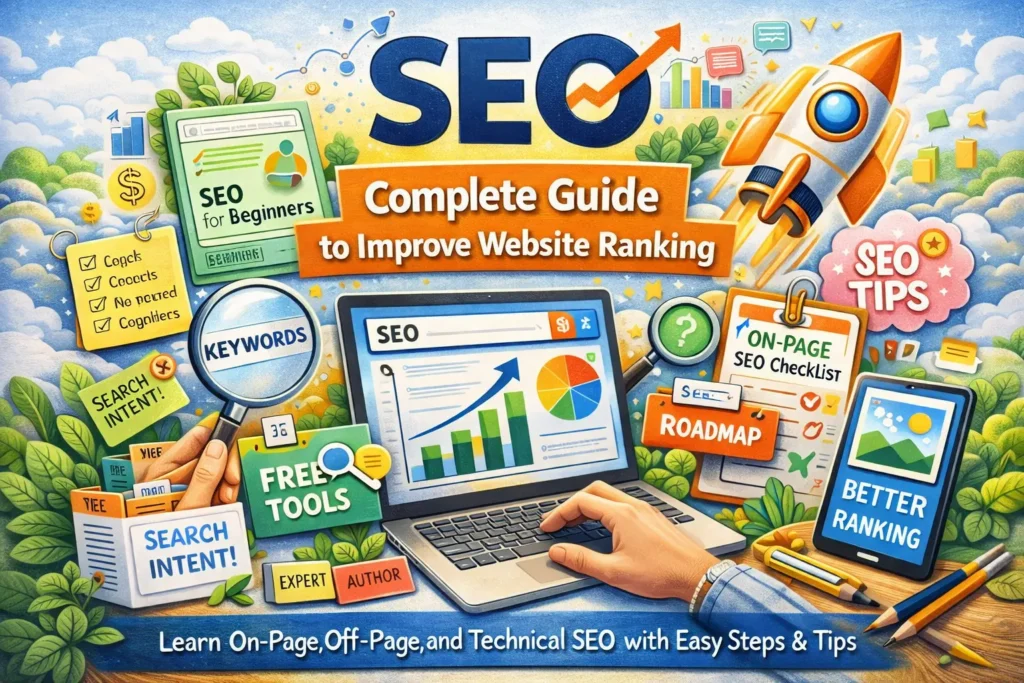
आज के डिजिटल दौर में अगर आपकी वेबसाइट Google पर दिख नहीं रही, तो उसका होना लगभग बेकार है। यहीं पर SEO (Search Engine Optimization) काम आता है। सही तरीके से SEO करने पर आपकी वेबसाइट न सिर्फ Google में दिखती है, बल्कि बेहतर position पर rank भी करती है। इस गाइड में हम SEO को आसान भाषा में गहराई से समझेंगे खासकर SEO for beginners, how to do SEO step by step, और एक practical SEO roadmap for beginners के साथ। SEO क्या है? (Simple Explanation) SEO (Search Engine Optimization) एक process है जिसमें हम अपनी वेबसाइट और content को इस तरह optimize करते हैं कि वह Google जैसे search engines में बेहतर rank करे। 👉 आसान भाषा में:“SEO का मतलब है Google को समझाना कि आपका content सबसे useful है।” SEO क्यों जरूरी है? अगर आप blogging, business या freelancing कर रहे हैं, तो SEO आपकी growth का सबसे बड़ा source है। SEO के फायदे: Organic traffic बढ़ता है Paid ads पर खर्च कम होता है Website credibility बढ़ती है Long-term results मिलते हैं SEO कैसे काम करता है? Google mainly 3 चीज़ें देखता है: Crawling – आपकी वेबसाइट को scan करना Indexing – content को database में रखना Ranking – search results में position तय करना 👉 आपका काम है Google को clear signals देना कि आपका content valuable है। How to Do SEO Step by Step (Beginner Guide) अगर आप beginner हैं, तो यह step-by-step process follow करें: 1. Keyword Research सबसे पहले सही keywords ढूंढें: Main keyword: SEO Related keywords: SEO for beginners how to do SEO step by step SEO roadmap for beginners Tools: Google Keyword Planner Ubersuggest AnswerThePublic 2. High Quality Content बनाएं Google अब सिर्फ keywords नहीं देखता, बल्कि content की quality देखता है। क्या करें: User intent समझें Detailed content लिखें Real examples दें Rule:“Content user के सवाल का पूरा जवाब देना चाहिए।” 3. On Page SEO Checklist On-page SEO आपकी ranking का foundation है। On Page SEO Checklist: Title में keyword use करें Meta description optimize करें URL short और clean रखें Headings (H1, H2, H3) सही use करें Internal linking करें Image alt text add करें यह on page SEO checklist हर post पर apply करें 4. Off Page SEO (Authority Build करें) Off-page SEO का मतलब है backlinks बनाना। कैसे करें: Guest posting Profile backlinks Social sharing Quality backlinks = High ranking 5. Technical SEO Optimize करें Technical SEO website की performance से जुड़ा होता है। Important Factors: Website speed fast हो Mobile friendly हो SSL (HTTPS) enabled हो Sitemap और robots.txt सही हो Best SEO Tools Free (Beginner Friendly) अगर आप beginner हैं, तो ये SEO tools free में use कर सकते हैं: Free Tools: Google Search Console Google Analytics Ubersuggest Ahrefs Free Tools Screaming Frog (limited) इन tools से आप keywords, traffic और errors track कर सकते हैं SEO Roadmap for Beginners (Clear Path) अगर आप confuse हो कि कहाँ से शुरू करें, तो यह roadmap follow करें: Step-by-Step Roadmap: Basic SEO समझें Keyword research सीखें Content लिखना शुरू करें On-page SEO apply करें Website speed optimize करें Backlinks बनाएं Performance track करें Consistency सबसे important है E-E-A-T (Google Trust Factor) Google अब सिर्फ content नहीं, बल्कि trust भी देखता है E-E-A-T का मतलब: Experience – आपका practical experience Expertise – knowledge Authoritativeness – authority Trustworthiness – भरोसा कैसे improve करें: Real examples दें Author bio add करें Genuine content लिखें Fake claims avoid करें Advanced SEO Tips (Ranking Boost करने के लिए) Content Update करते रहें Old content को refresh करें New data add करें  Internal Linking Strategy Related posts को connect करेंइससे SEO juice pass होता है Featured Snippet Target करें “What is”, “How to” format use करें Direct answers दें User Experience (UX) Clean design Easy navigation Fast loading Common SEO Mistakes Keyword stuffing करना Duplicate content use करना Slow website Mobile optimization ignore करना Low quality backlinks Quick SEO Checklist Keyword research किया High quality content लिखा On-page SEO apply किया Website speed optimized Backlinks बनाए Performance track किया FAQ (Frequently Asked Questions) Q1. SEO क्या है और कैसे काम करता है? SEO एक process है जिससे website को Google में rank कराया जाता है, जिसमें crawling, indexing और ranking शामिल हैं। Q2. SEO for beginners कैसे शुरू करें? Keyword research, content creation और on-page SEO से शुरुआत करें। Q3. Free SEO tools कौन-कौन से हैं? Google Search Console, Google Analytics और Ubersuggest सबसे अच्छे free tools हैं। Q4. On page SEO checklist क्या है? Title, meta tags, headings, internal linking और image optimization शामिल होते हैं। Q5. SEO roadmap for beginners क्या है? Basic सीखना → content बनाना → optimization → backlinks → tracking — यही roadmap है।

SEO Complete Guide to Improve Website Ranking Read Post »

ITR Filing Deadline
Interview

ITR Filing Deadline 2025Last Date और Important Updates

हर साल टैक्सपेयर के लिए सबसे बड़ा सवाल होता है ITR (Income Tax Return) कब फाइल करना है और इसकी डेडलाइन क्या है? अगर आप नौकरीपेशा हैं, बिजनेस करते हैं, या फ्रीलांसर हैं, तो ITR Filing Deadline का ध्यान रखना आपके लिए जरूरी है। इस आर्टिकल में हम आसान भाषा में समझेंगे कि ITR Filing क्या होती है, क्यों जरूरी है, 2025 की अंतिम तारीख क्या है, और अगर आप देरी करते हैं तो इसके क्या नतीजे हो सकते हैं। साथ ही जानेंगे सरल तरीके जिससे आप समय पर ITR फाइल कर सकें। ITR फाइलिंग क्या होती है और इसका महत्त्व? ITR (Income Tax Return) एक फॉर्म है जिसमें आप अपनी सालाना इनकम और उस पर भरे गए टैक्स की जानकारी सरकार को देते हैं। चाहे आपकी सैलरी हो, बिजनेस इनकम हो या फिर फ्रीलांस/पार्ट-टाइम कमाई, सबकी जानकारी ITR में शामिल होती है। इसका महत्व कई कारणों से है: लोन और वीज़ा अप्लाई करने में मदद – बैंक और दूतावास ITR की कॉपी मांगते हैं। टैक्स रिफंड का दावा करने के लिए – अगर आपने ज्यादा टैक्स भर दिया है। सरकारी और प्राइवेट स्कीम्स का फायदा उठाने के लिए। कानूनी ज़िम्मेदारी पूरी करने के लिए। लेट फाइलिंग से जुर्माना और पेनल्टी ITR (Income Tax Return) एक फॉर्म है जिसमें आप अपनी सालाना इनकम और उस पर भरे गए टैक्स की जानकारी सरकार को देते हैं। चाहे आपकी सैलरी हो, बिजनेस इनकम हो या फिर फ्रीलांस/पार्ट-टाइम कमाई, सबकी जानकारी ITR में शामिल होती है। इसका महत्व कई कारणों से है: लोन और वीज़ा अप्लाई करने में मदद – बैंक और दूतावास ITR की कॉपी मांगते हैं। टैक्स रिफंड का दावा करने के लिए – अगर आपने ज्यादा टैक्स भर दिया है। सरकारी और प्राइवेट स्कीम्स का फायदा उठाने के लिए। कानूनी ज़िम्मेदारी पूरी करने के लिए। ITR Filing Deadline 2025: अंतिम तारीख क्या है? अगर आप डेडलाइन के बाद ITR जमा करते हैं, तो आपको नुकसान हो सकता है: लेट फाइन: जुलाई 31 के बाद और दिसंबर 31 तक फाइल करने पर ₹5,000 का जुर्माना (कुछ मामलों में ₹1,000 अगर इनकम ₹5 लाख से कम हो)। रिफंड में देरी: ज्यादा टैक्स भरने पर मिलने वाला रिफंड देर से मिलेगा। ब्याज़ लग सकता है: टैक्स बकाया होने पर ब्याज़ देना पड़ेगा। लोन/वित्तीय दस्तावेज़ में समस्या: ITR की कॉपी न होने पर लोन या अन्य आधिकारिक काम में दिक्कत आती है। ITR फाइल करने के आसान तरीके आजकल ITR फाइल करना मुश्किल नहीं है, क्योंकि ऑनलाइन विकल्प उपलब्ध हैं। फाइल करने के कुछ प्रमुख तरीके: Income Tax e-Filing Portal (www.incometax.gov.in) से ऑनलाइन। ऑफलाइन यूटिलिटी डाउनलोड करके फॉर्म भरना और अपलोड करना। CA या टैक्स कंसल्टेंट की मदद लेकर। फाइनेंशियल ऐप्स और पोर्टल्स का इस्तेमाल करके। जरूरी दस्तावेज़: पैन कार्ड और आधार कार्ड फॉर्म 16 (सैलरी वाले कर्मचारियों के लिए) बैंक पासबुक / स्टेटमेंट TDS/TCS सर्टिफिकेट इन्वेस्टमेंट प्रूफ (LIC, ELSS, PPF आदि) प्रॉपर्टी, रेंट या कैपिटल गेन से जुड़ा डेटा समय से पहले फाइल करने के फायदे समय पर ITR Filing Deadline से पहले रिटर्न जमा करना आपको कई फायदे देता है: बिना फाइन और जुर्माना चुकाए काम पूरा टैक्स रिफंड जल्दी मिलना लोन और वीज़ा अप्लिकेशन में आसानी भविष्य में कोई कानूनी दिक्कत नहीं मानसिक शांति और रिलैक्सेशन FAQs: आम सवाल जो लोगों के मन में आते हैं अगर मेरी इनकम टैक्सेबल लिमिट से कम है, तो भी ITR फाइल करना जरूरी है? कानूनी रूप से जरूरी नहीं, लेकिन कुछ फायदों (लोन, वीज़ा, रिकॉर्ड) के लिए फाइल करना अच्छा है। ITR Filing Deadline मिस होने के बाद क्या कर सकते हैं? आप 31 दिसंबर 2025 तक लेट फीस देकर “बेलिटेड रिटर्न” फाइल कर सकते हैं। क्या ITR फाइल करने के लिए पैन और आधार लिंक जरूरी है? हां, बिना पैन-आधार लिंक ITR फाइल प्रक्रिया में दिक्कत होगी। क्या रिफंड हमेशा बैंक अकाउंट में ही आता है? हां, अबतक रिफंड सिर्फ बैंक अकाउंट के जरिए ही दिया जाता है। आखिर क्यों जरूरी है ITR Filing Deadline? सरकार डेडलाइन इसलिए तय करती है ताकि सब समय पर टैक्स जमा करें और आगे की प्रोसेसिंग (रिफंड, डेटा एनालिसिस, बजट तैयारी) समय से हो सके। कभी-कभी तकनीकी दिक्कतों या बाढ़/प्राकृतिक आपदा जैसी परिस्थितियों में सरकार डेडलाइन आगे बढ़ा देती है। लेकिन यह अपवाद है, आदत नहीं बनानी चाहिए।

ITR Filing Deadline 2025Last Date और Important Updates Read Post »

web-development-technologies-2025
Interview

Top Web Development Technologies You Must Learn 2025

Es blog mein aapko milega 2025 ke sabse important aur popular Web Development Technologies ke baare mein poori jankari. Yahan aap seekhenge ki kaunsi technologies seekhnichahiye, kyunzaroori hain, aur yeh kaiseaapki web development skills ko improve karsakti hain. Blog meinaapko React, Vue, Node.js, Angular, Svelte jaise top technologies ke benefits aur use karne ke tarike aasani se samjhaaye jayenge. Saath hi, practical tips, latest trends, aur users ke common questions ke  jawab bhi milenge, jo aapki web development journey ko simple aur safal banayenge. ajke digital yug mein, Web Development Technologies bahut tezi se evolve horahi hain. Agar aap web developer banna chahte hain yaapni skills upgrade karna chahte hain, to 2025 keliye best aur latest web development technologies seekhna boho tzaroori hai. Is article mein, main aap ko aise technologies ke baare mein bataunga jo 2025 mein demand mein rahengi aur jise seekh kar aapapne career ko aage badha sakte hain. Web Development Technologies: Kyun Zaroori Hai? Har business aur individual ko apni online presence chahiye hoti hai. Uske liye websites aur web apps ki zaroorat hai. Isliye, quality aur fast web development bahut crucial hai. Right technologies use karne se aap efficient aur scalable websites bana sakte hain jo users ko best experience dein. 1. React.js: Frontend Ka Badshah React.js, ek JavaScript library hai jo UI (User Interface) bananekeliye use hotihai. Isme reusable components hote hain, jisse development fast hotahai. React ka ecosystem bahut badahai, aur iska use Facebook, Instagram jaise bade platforms karte hain. Easy to learn and use Fast rendering thanks to Virtual DOM Strong community support React seekhna 2025 kel iye sabse important Web Development Technologies mein se ek hai. 2. Vue.js: Beginner-Friendly Framework Vue.js ek aur popular frontend framework hai jo light weight aur beginner-friendly hai. Agar aapnaye hain web development mein, to Vue pe start karna best rahega kyunki iski learning curve React se thodi easy hai. Simple aur clean syntax Flexible aur scalable Bahut saare ready-to-use libraries available Vue.js aapko modern, interactive web apps banane mein madad karta hai. 3. Angular: Enterprise-Level Framework Angular ek complete framework hai jo Google kedwara maintain hotahai. Ye bade aur complex applications keliye best mana jatahai. Angular mein two-way data binding aur dependency injection jaise features built-in hote hain. Robust structure for large apps TypeScript support Integrated tools aur testing support Enterprise clients keliye Angular kaafi popular hai. 4. Node.js: Backend Development Ka King Node.js JavaScript runtime environment hai jo server-side programming keliye use hota hai. Iska benefit ye hai ki aap frontend aur backend donokeliye JavaScript use karsakte hain. Fast performance using event-driven architecture Large number of libraries through npm Real-time applications jaise chats aur live updates banana aasaan Node.js seekhna bhi 2025 mein top Web Development Technologies ka hissa hai. 5. Svelte: Naya Par Powerful Svelte ek naya frontend framework hai jo compile-time pe kaafi optimization karta hai. Iska result ye hota hai ki app light weight aur fast hota hai. No virtual DOM, direct DOM updates Simple aur clean code likhne ka mauka Performance-oriented Svelte future ka promising technology hai jo 2025 meinzyada popular hoga. 6. Jamstack: Modern Web Architecture Jamstack ek website architecture approach haijisme JavaScript, APIs, aur Markup ka use hotahai. Isse websites fast load hoti hain, scalable hoti hain, aur secure bhi. Static site generators jaise Gatsby use karnaaasaan Content Delivery Networks (CDNs) ka use High security aur performance Jamstack seekh kar aap modern aur blazing-fast websites bana sakte hain. 7. Progressive Web Apps (PWA) PWA websites ko apps jaisa experience dene ka tareekahai. Ye offline bhichalsakti hain aur fast load hoti hain. Offline functionality Push notifications support Responsive aur app-like experience Is technology ka use badhtajarahahai, aur ye web development ka future hai. 8. Other Trending Technologies: Headless CMS: Flexible content management jo front-end se alaghotahai. TypeScript: JavaScript ka superset, jo large applications keliye better maintainability detahai. Tailwind CSS: Modern CSS framework utility-first approach kesath. Frequently Asked Questions (FAQ) – Q1. Web Development Technologies kya hain aur ye kyun important hain? Web Development Technologies wo tools, programming languages, frameworks, aur techniques hoti hain jinse websites aur web applications banayijaati hain. Ye important hain kyunki ye decide karte hain ki aapki website kitni fast, user-friendly, aur secure hogi. Q2. 2025 meinkaunsi Web Development Technologies sabsezyada demand mein hongi? React.js, Vue.js, Angular, Node.js, Svelte, Jamstack architecture, aur Progressive Web Apps (PWA) 2025 mein top technologies hongi. Inke sathsaath TypeScript aur Tailwind CSS bhi popular rahenge. Q3. Kya mujhe backend aur frontend dono technologies seekhnichahiye? Agar aap full-stack developer bannachahte hain to haan, donoseekhnichahiye, jaise frontend keliye React ya Vue, aur backend keliye Node.js. Lekin agar aapkisi specific role pe focus karnachahte hain to sirfusi area pe focus karna best hotahai. Q4. Progressive Web Apps (PWA) kyahoti hain? PWA aisi websites hoti hain jo native mobile apps jaisi speed aur experience deti hain. Ye offline bhichalsakti hain, push notifications bhejsakti hain, aur responsive hoti hain. Q5. AI ka Web Development Technologies meinkya role hai 2025 mein? AI ab development process ko smart banarahahai, jaise auto code generation, testing automation, personalized user experiences, aur security enhancements. AI integrated tools development ko fast aur efficient banate hain. Q6. Kya JavaScript ab bhi relevant hai Web Development keliye? Bilkul! JavaScript abhitak web development ki foundation hai. React, Vue, Angular, aur Node.js jaise frameworks/technologies JavaScript par based hain. Modern JavaScript features aur TypeScript integration se iska scope aur bhibadhgayahai.

Top Web Development Technologies You Must Learn 2025 Read Post »

IPL 2025
Interview

IPL 2025 New Schedule: Dates, Venues & Match Details

IPL 2025 New Schedule: Dates, Venues & Match Details Himanshu Nigam May 12, 2025 Bharatiya cricket fans ke liye IPL sirf ek tournament nahi, balki ek tyohar hota hai. Har saal log iske liye intezaar karte hain, aur IPL 2025 bhi kuch aisa hi tha. Iska shubh-aarambh 22 March 2025 ko hua tha aur iska final 25 May 2025 ko Kolkata ke Eden Gardens Stadium me hone wala tha. Lekin kuch aise haalaat bane jinke chalte tournament ko beech me hi rokna pada. Why was IPL 2025 stopped? 9 May 2025 ko Punjab Kings vs Delhi Capitals ka match Dharamshala me hona tha, lekin Bharat aur Pakistan ke beech badhte tension ke wajah se is match ko security reasons ke chalte cancel kar diya gaya. Sirf yehi nahi, BCCI ne poore tournament ko ek hafte ke liye sthagit kar diya. When will IPL 2025 start again? Sabhi fans ka sawal tha – IPL dobara kab start hoga? Reports ke mutabik, IPL 16 May 2025 se phir se shuru ho sakta hai. Halanki, agar situation sudharti nahi hai, toh shesh matches September 2025 me karaye ja sakte hain. IPL 2025 Bache Matches ka Possible Schedule Match No. Date Teams Venue Match 67 16 May 2025 Rajasthan Royals vs Punjab Kings Jaipur Match 68 17 May 2025 RCB vs KKR Bangalore Match 69 18 May 2025 Gujarat Titans vs CSK Ahmedabad Match 70 18 May 2025 Lucknow Super Giants vs SRH Lucknow Qualifier 1 20 May 2025 TBD Hyderabad Eliminator 21 May 2025 TBD Hyderabad Qualifier 2 23 May 2025 TBD Kolkata Final 25 May 2025 TBD Kolkata Note: Ye schedule final confirmation ke baad badal bhi sakta hai. BCCI ne bola hai ki unki top priority players aur fans ki safety hai. Saari stadiums ki security agencies ke sath review ho raha hai. Agar security green signal deta hai toh matches wapas start honge. Can the venue of the final change? Abhi ke liye, final 25 May 2025 ko Kolkata me hi hone wala hai. Lekin agar tension aur badhta hai, toh ho sakta hai ki date aur venue dono change kiye jaaye. What is the reaction of foreign players? IPL me kaafi foreign players participate karte hain. Current crisis ke wajah se kuch players concerned hain. Kuch log apne desh wapas bhi chale gaye hain, aur wo IPL restart hone ke baad hi return karenge. What should the fans do? IPL aur BCCI ke official app ya website se hi updates lein. Ticket ya travel booking se pehle nayi tarikhe confirm karein. Fake news ya rumors se bachein – sirf trusted sources follow karein. FAQs Q1. IPL 2025 kab dobara shuru hoga? Expected date hai 16 May 2025. Q2. Final kab aur kahan hoga? 25 May 2025 ko Kolkata me. Q3. Kya venue change ho sakta hai? Haan, agar zarurat hui toh.

IPL 2025 New Schedule: Dates, Venues & Match Details Read Post »

database interview questions
Interview

Top 25 DBMS Questions Asked in Interviews for 2025

Agar aap B.Tech, BCA ya MCA student ho ya kisi IT job ke interview ke liye prepare kar rahe ho, toh DBMS (Database Management System) ek important topic hai. Har technical interview mein isse related kuch na kuch zaroor poocha jaata hai. Iss blog mein hum cover karenge Top 25 DBMS Interview Questions 2025 ke liye, simple aur asaan Hinglish mein taaki aapko samajhne mein koi dikkat na ho. Top 25 DBMS Interview Questions 1. What is DBMS? DBMS ek software system hai jo data ko store, manage aur retrieve karta hai efficiently. 2. What is RDBMS ? RDBMS (Relational DBMS) ek DBMS hai jisme data tables mein store hota hai aur relations ke through connect hota hai. 3. What is Primary Key? Primary Key ek unique value hoti hai jo kisi row ko uniquely identify karti hai. 4. What is Foreign Key? Foreign Key ek column hota hai jo kisi doosri table ki Primary Key ko refer karta hai. 5. What is Advantage of DBMS? Data redundancy kam hoti hai Data security badh jaati hai Data access fast hota hai 6. What is Normalization ? Normalization ek process hai jisse database ko efficiently design kiya jaata hai taaki data redundancy aur inconsistency kam ho. 7. What is First Normal Form (1NF)? 1NF mein sabhi attributes atomic (indivisible) hone chahiye. 8. What is SQL? SQL (Structured Query Language) ek language hai jo database ke sath interact karne ke liye use hoti hai. 9. What is Difference Between DDL and DML? DDL (Data Definition Language) – Tables create/update karne ke liye DML (Data Manipulation Language) – Data insert/update/delete karne ke liye 10. What is ACID Properties? A: Atomicity C: Consistency I: Isolation D: DurabilityYe 4 properties ensure karti hain ki transaction safely complete ho. 11. What is Transaction ? Transaction ek sequence of operations hoti hai jo ek unit ke roop mein execute hoti hai. 12. What is Index ? Index ek database object hota hai jo search operations ko fast banata hai. 13. What is Views ? View ek virtual table hoti hai jo SQL queries ke result ko represent karti hai. 14. What is Join in SQL? Join ka use multiple tables ke data ko combine karne ke liye hota hai. 15. Types of Joins? Inner Join Left Join Right Join Full Join 16. What is Subquery ? Subquery ek query hoti hai jo doosri query ke andar likhi jaati hai. 17. Difference between DELETE and TRUNCATE? DELETE: Row-by-row delete karta hai TRUNCATE: Saare rows ek baar mein delete karta hai (faster) 18. What is Cursor ? Cursor ek database object hota hai jo row-by-row data access karta hai. 19. What is a Trigger? Trigger ek automatic function hota hai jo kisi event par execute hota hai (e.g. INSERT, UPDATE). 20. What is a Schema? Trigger ek automatic function hota hai jo kisi event par execute hota hai (e.g. INSERT, UPDATE). 21. What is a Stored Procedure? Trigger ek automatic function hota hai jo kisi event par execute hota hai (e.g. INSERT, UPDATE). 22. What is a Deadlock in DBMS? Jab do ya zyada transactions ek dusre ka resource hold karke wait karte hain, toh deadlock hota hai. 23. What is a Relational Algebra? Relational Algebra ek theoretical language hai jo relational databases ko manipulate karne ke liye use hoti hai. 24. What is a Data Redundancy? Jab same data multiple jagah stored hota hai, toh usse data redundancy kehte hain. 25. What is a Data Redundancy? Rules hote hain jo data ki validity aur consistency maintain karte hain.

Top 25 DBMS Questions Asked in Interviews for 2025 Read Post »

top 20 interview questions
Interview

Top 20 Frontend Developer Interview Questions (2025)

Agar aap frontend development ka interview dene ja rahe ho, to yeh 20 questions zaroor padho. In mein basic HTML, CSS, JavaScript aur responsive design ke important concepts cover kiye gaye hain. Chaliye shuru karte hain:- 1. What is HTML ? Answer: HTML ka full form hai HyperText Markup Language. Ye web pages ka structure define karta hai jaise headings, paragraphs, images, forms, etc. 2. What is CSS ? Answer: CSS ka matlab hai Cascading Style Sheets. Ye HTML elements ko style dene ke liye use hota hai – jaise colors, font, spacing, layout. 3. What is JavaScript ? Answer: JavaScript ek scripting language hai jo web page ko interactive banata hai. Jaise button click, animations, dynamic updates bina page reload kiye. 4. Difference between ID and Class in CSS? Answer: ID unique hoti hai (#idname), ek page mein sirf ek baar use hoti hai. Class (.classname) multiple elements mein use ho sakti hai. 5. What is Box Model ? Answer: Box Model web elements ke 4 parts define karta hai – content, padding, border, aur margin. Ye samajhna zaroori hai layout ke liye. 6. What is Responsive Design ? Answer: Responsive design ka matlab hai ki website har device pe (mobile, tablet, desktop) achhi dikhe aur sahi tarike se kaam kare. 7. What is Media Queries ? Answer: CSS Media Queries responsive design ke liye use hoti hain. Ye screen size ke hisaab se alag styles apply karti hain. @media (max-width: 600px) {  body { background-color: lightblue; }} 8. Difference between == and === in JavaScript? Answer: == values compare karta hai (type convert karke). === strict comparison karta hai (value aur type dono match hone chahiye). 9. What is Semantic ? Answer: Semantic HTML wo elements hote hain jo content ka meaning batate hain. Jaise <article>, <section>, <header>, <footer> etc. 10. What is the use of ‘this’ keyword in JavaScript? Answer:  this keyword current object ko refer karta hai. Iska meaning depend karta hai function kis context mein call hua. 11. JavaScript mein DOM kya hota hai? Answer: DOM (Document Object Model) ek tree structure hai jo HTML elements ko represent karta hai. JavaScript se hum DOM ko access aur manipulate karte hain. 12. Difference between let, var and const? Answer: var function-scoped hota hai. let block-scoped hota hai. const block-scoped hota hai but ismein value reassign nahi kar sakte. 13. What is Event Delegation? Answer: Event Delegation mein parent element pe event listener lagaya jata hai, aur woh child elements ke events ko handle karta hai. 14. Forms mein GET aur POST ka difference? Answer: GET: data URL ke through send hota hai, visible hota hai. POST: data hidden hota hai, secure hota hai (sensitive data ke liye better). 15. What are pseudo-classes in CSS? Answer: Pseudo-classes jaise :hover, :focus, etc. user interaction ke basis par element ka style change karti hain. 16. What is the difference between inline, block, and inline-block elements? Answer: Inline: width, height set nahi hota (e.g. span) Block: full width le leta hai (e.g. div) Inline-block: inline bhi hai aur width/height bhi set ho sakta hai 17. LocalStorage vs SessionStorage? Answer: LocalStorage: data permanently store hota hai jab tak manually delete na karein. SessionStorage: data tab tak store hota hai jab tak browser tab open ho. 18. What is Flexbox in CSS? Answer: Flexbox ek layout model hai jo responsive layouts banane mein help karta hai. Ye elements ko easily align aur space karta hai. display: flex;justify-content: center;align-items: center;ge: data tab tak store hota hai jab tak browser tab open ho. 19. How do you optimize frontend performance? Answer: Images compress karo CSS & JS minify karo Lazy loading use karo CDN se files serve karo FAQ How to Prepare for Frontend Interview? HTML, CSS, JS basics clear rakho Projects banao GitHub pe code share karo Mock interviews do Frameworks jaise React ka basic idea rakho

Top 20 Frontend Developer Interview Questions (2025) Read Post »

seo executive interview questions
Interview

Top 20 SEO Executive Interview Questions & Answers (2025)

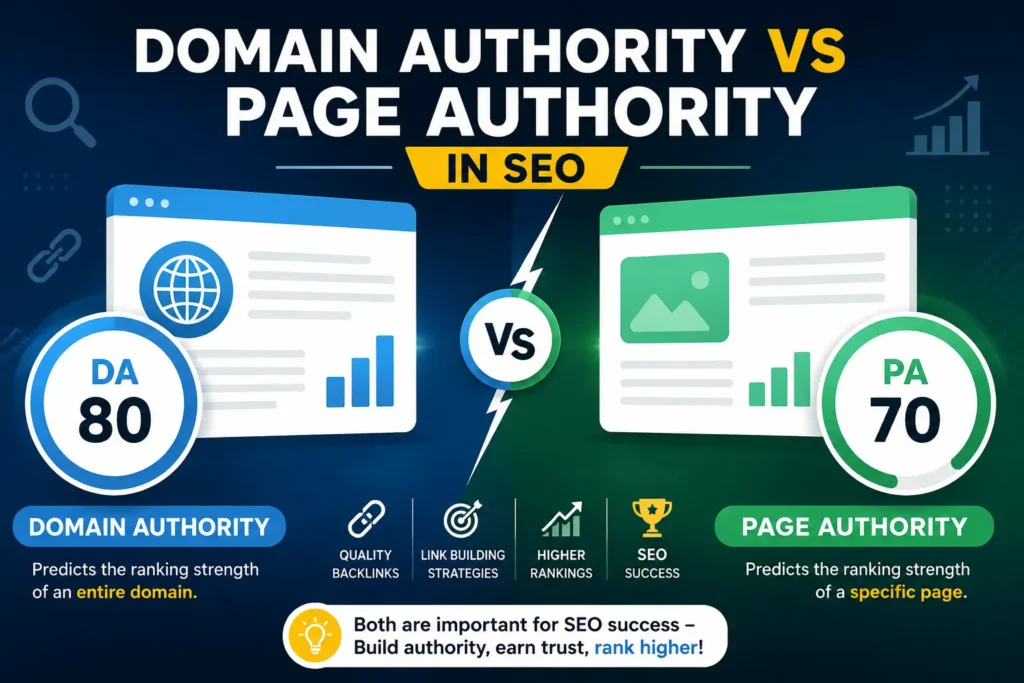
अगर आप एक SEO Executive की नौकरी के लिए इंटरव्यू की तैयारी कर रहे हैं, तो यह आर्टिकल आपके लिए बेहद काम का है। यहाँ आपको SEO Executive Interview Questions की एक अच्छी सूची मिलेगी जो न सिर्फ आपके कॉन्सेप्ट्स को क्लियर करेगी, बल्कि आपको इंटरव्यू में आत्मविश्वास भी देगी। SEO क्या होता है और SEO Executive का रोल क्या है? SEO का मतलब है Search Engine Optimization, यानी वेबसाइट को इस तरह ऑप्टिमाइज़ करना कि वह गूगल जैसे सर्च इंजनों में ऊपर रैंक करे। एक SEO Executive का मुख्य काम होता है वेबसाइट की ट्रैफिक बढ़ाना, सही कीवर्ड्स को टार्गेट करना और वेबसाइट की ऑनलाइन उपस्थिति को मजबूत करना। SEO Executive Interview Questions with Answers नीचे कुछ महत्वपूर्ण SEO Executive Interview Questions दिए गए हैं जो अक्सर इंटरव्यू में पूछे जाते हैं: 1. On-Page SEO और Off-Page SEO में क्या अंतर है? उत्तर:  On-Page SEO वेबसाइट के अंदर किया जाने वाला ऑप्टिमाइज़ेशन है जैसे – टाइटल, डिस्क्रिप्शन, हेडिंग्स, कीवर्ड्स और कंटेंट।Off-Page SEO वेबसाइट के बाहर किया जाने वाला प्रमोशन है जैसे बैकलिंक्स बनाना, सोशल शेयरिंग, गेस्ट पोस्टिंग। 2. Backlink क्या होता है और यह क्यों जरूरी है? उत्तर:  Backlink एक ऐसा लिंक होता है जो किसी दूसरी वेबसाइट से आपकी वेबसाइट की ओर आता है। यह SEO के लिए जरूरी है क्योंकि यह आपकी साइट की authority और रैंकिंग को बढ़ाता है। 3. Robots.txt और Sitemap.xml में क्या अंतर है? उत्तर: Robots.txt एक फाइल होती है जो सर्च इंजन को बताती है कि कौनसे पेज crawl करने हैं और कौनसे नहीं।Sitemap.xml वेबसाइट के सभी जरूरी पेज का लिस्ट होता है जिसे सर्च इंजन आसानी से इंडेक्स कर सकता है। 4. Canonical Tag क्यों जरूरी होता है? उत्तर:  Canonical Tag तब लगाया जाता है जब किसी पेज का डुप्लिकेट वर्जन होता है। यह टैग सर्च इंजन को बताता है कि कौनसा पेज ओरिजिनल है जिससे डुप्लिकेट कंटेंट की समस्या नहीं होती। 5. Keyword Research कैसे की जाती है? उत्तर:  Keyword Research के लिए Google Keyword Planner, Ahrefs, SEMrush जैसे टूल्स का उपयोग किया जाता है। ऐसे कीवर्ड चुने जाते हैं जिन्हें लोग ज़्यादा सर्च करते हैं और जिनमें competition कम हो। 6. वेबसाइट की स्पीड SEO को कैसे प्रभावित करती है? Answer: Agar website slow hai to users jaldi exit kar dete hain, jo bounce rate badhata hai aur ranking gira sakta hai. Fast website better user experience aur ranking provide karti hai. 7. Meta Title और Meta Description क्या होते हैं? Answer: Meta Title: Page ka title jo search engine results mein dikhta hai. Meta Description: Short summary jo search results mein title ke neeche dikhai deti hai. Ye click-through rate (CTR) ko improve kar sakta hai. 8. Robots.txt और Sitemap.xml का क्या उपयोग है? Answer: Robots.txt: Search engines ko batata hai ki kaunse pages crawl karne hain aur kaunse nahi. Sitemap.xml: Website ke sabhi important pages ka list hota hai jo search engines ko indexing me madad karta hai. 9. Black Hat SEO और White Hat SEO में क्या अंतर है? Answer: Black Hat SEO : Unethical SEO techniques jaise keyword stuffing, cloaking, aur spam backlinks jo Google guidelines ke khilaf hoti hain. White Hat SEO: Ethical SEO techniques jo Google guidelines ke according hoti hain jaise quality content, proper keyword usage, aur organic backlinks. 10. Google Algorithm क्या होता है और SEO में इसका क्या महत्व है? Answer: Google Algorithm ek set of rules hai jo decide karta hai ki kaunsi website ko kis rank par rakhna hai. Jaise Panda, Penguin, aur Hummingbird algorithm SEO ranking ko impact karte hain. 11. Mobile SEO क्या होता है और यह क्यों जरूरी है? Answer: Mobile SEO ka matlab website ko mobile-friendly banana hai. Google mobile-friendly websites ko higher rank deta hai kyunki aaj kal log zyada mobile par hi search karte hain. 12. Domain Authority (DA) और Page Authority (PA) क्या होते हैं? Answer: Domain Authority (DA): Moz tool ke according kisi website ki ranking power ko measure karne ka scale (1-100). Page Authority (PA): Kisi specific page ki ranking ability ko measure karta hai. 13. SEO में LSI (Latent Semantic Indexing) Keywords क्या होते हैं? Answer: LSI keywords wo related keywords hote hain jo kisi bhi topic se jude hote hain. Ye SEO me madad karte hain aur Google ko content ki better samajh dete hain. 14. Bounce Rate क्या होता है और इसे कैसे कम किया जा सकता है? Answer: Bounce rate wo percentage hota hai jo users bina kisi aur page visit kiye site se exit kar jate hain. Ise improve karne ke liye engaging content, fast loading speed, aur attractive UI zaroori hai. 15. Google Search Console और Google Analytics में क्या अंतर है? Answer: Google Search Console: Website ki search performance aur indexing errors ko track karta hai. Google Analytics: Website traffic aur user behavior ka analysis karta hai. 16. 301 और 302 Redirect क्या होते हैं और कब उपयोग किए जाते हैं? Answer: 301 Redirect: Permanent redirection, jab ek page permanently doosre page par shift hota hai. 302 Redirect: Temporary redirection, jab kisi page ko temporary doosri location par bhejna ho. 17. SSL Certificate का SEO पर क्या प्रभाव पड़ता है? Answer: SSL (Secure Sockets Layer) website ke security ko badhata hai. Google HTTPS websites ko zyada preference deta hai, isliye SEO ranking improve hoti hai. 18. Local SEO क्यों जरूरी है? उत्तर:  Local SEO छोटे-बड़े व्यवसायों के लिए जरूरी है ताकि वो अपने क्षेत्र के लोगों तक पहुँच बना सकें। इसके लिए Google My Business, local keywords और customer reviews का इस्तेमाल किया जाता है। 19. Featured Snippets क्या होते हैं और इनका SEO में क्या महत्व है? Answer: Featured Snippets wo highlighted search results hote hain jo Google ke top par answer box me dikhte hain. Ye organic traffic badhane me madad karte hain. 20. SEO में CTR (Click Through Rate) क्या होता है और इसे कैसे बढ़ाया जा सकता है? Answer: CTR ka matlab hai ki kitne log search result me aapki website ka link dekhne ke baad uspe click karte hain. Isko improve karne ke liye attractive meta

Top 20 SEO Executive Interview Questions & Answers (2025) Read Post »

strength-and-weakness-answer
Interview

How to Answer What Are Your Strengths and Weaknesses

How to Answer What Are Your Strengths and Weaknesses Himanshu Nigam March 31, 2025 Job interview tough ho sakta hai, especially jab aap se yeh classic sawal poocha jaye: “Aapki strengths aur weaknesses kya hain?” Yeh ek aisa question hai jo confidence dikhane aur apni kamzori batane ke beech ek tightrope walk jaisa lag sakta hai. Lekin agar aap is sawal ka sahi tareeke se jawab dete hain, toh aap apni self-awareness, growth mindset aur job ke liye suitability dikhane ka ek accha moka paa sakte hain. Is guide mein, hum aapko batayenge ki aap is question ka best jawab kaise de sakte hain taaki interviewer par accha impression pade. Interviewers Strengths & Weaknesses Ke Baare Mein Kyon Poochte Hain? Yeh samajhna zaroori hai ki interviewers yeh question kyon poochte hain. Isse aap apne answers aur bhi better bana sakte hain. Jab Woh Strengths Poochte Hain Toh: Job Readiness Check Karna: Kya aapki skills aur experience job ke requirement se match karti hain? Team Fit Evaluate Karna: Aapki strengths team ke liye useful hongi ya nahi? Growth Potential Dekhna: Kya aap role me grow kar sakte hain aur naye challenges le sakte hain? Jab Woh Weaknesses Poochte Hain Toh: Self-Awareness Evaluate Karna: Kya aapko apni kamiya pata hain? Kya aap unko improve karne ki koshish kar rahe hain? Problem-Solving Skills Check Karna: Kya aap apni weakness se overcome karne ka koi smart approach rakhte hain? Training & Support Needs Samajhna: Aapko kis tarah ki training ya guidance ki zaroorat ho sakti hai? Common Strengths & Weaknesses Examples Strengths (Takat) Weaknesses (Kamzori) Problem-solving skills Jaldi patience lose karna Strong technical knowledge Delegation mein dikkat Quick learner & adaptable Perfection pe zyada dhyaan dena Good communication skills Details par zyada time lagana Teamwork & leadership “No” bolne mein dikkat Self-motivation Public speaking ka darr Time management Criticism lena mushkil Strengths Ka Best Answer Kaise Dein? Jab bhi aap apni strengths ke baare mein baat karein, toh unhe job role se relate karein aur ek example dein. Example 1: Problem-Solving & Adaptability “Meri sabse badi strength problem-solving hai. Mujhe technical challenges solve karna pasand hai aur naye technologies ko adopt karne mein mujhe koi dikkat nahi hoti. Ek baar mujhe ek project mein Python se Java pe shift hona pada, maine quickly adapt kiya aur project successfully complete kiya.” Example 2: Attention to Detail “Mujhe chhoti-chhoti details par dhyaan dena accha lagta hai, jo software development aur testing ke liye zaroori hota hai. Main hamesha apne code ka deep review karta hoon jisse bugs aur errors release hone se pehle hi pakde ja sakein.” Example 3: Communication & Teamwork “Mujhe teams ke saath kaam karna pasand hai. Mujhse non-technical stakeholders bhi easily baat kar sakte hain kyunki main technical concepts ko simple language mein samjhane mein mahir hoon.” Weaknesses Ka Best Answer Kaise Dein? Weaknesses ka jawab dete waqt hamesha yeh batayein ki aap usme kaise improvement kar rahe hain. Example 1 : Documentation Ka Patience “Mujhe zyada time tak documentation pe kaam karna pasand nahi tha, lekin maine ab ek structured approach adopt ki hai. Main pehle se hi ek documentation roadmap bana leta hoon taaki last-minute rush na ho.” Example 2 : Delegation Ki Dikkat “Mujhe pehle tasks delegate karne mein dikkat hoti thi, kyunki mujhe lagta tha ki har kaam mujhe khud hi karna chahiye. Lekin ab maine seekha hai ki kisi bhi team ka success delegation pe depend karta hai. Isliye, main ab har team member ke strengths ke hisaab se tasks assign karta hoon.” Example 3 : Perfectionism “Main kabhi kabhi kisi project ko perfect banane ke chakkar mein zyada time laga deta hoon. Ab main deadlines aur milestones set karta hoon aur peer feedback leta hoon taaki kaam time par complete ho sake.” Strengths & Weaknesses Answer Karne Ke Tips Strengths Ke Liye: Relevant Skills Choose Karein – Sirf wahi strengths batayein jo job role ke liye useful hain. Example Dein – Ek real-life situation batayein jisme aapki strength ka use hua. Generic Lines Avoid Karein – “Main hard worker hoon” jaisi common lines mat use karein. Results Show Karein – Agar kisi project mein aapki strength se koi impact aaya ho, toh batayein. Weaknesses Ke Liye: Self-Awareness Dikhayein – Yeh dikhayein ki aap apni kamzori pe kaam kar rahe hain. Solution Batayein – Sirf weakness batane se kuch nahi hoga, uska solution bhi batayein. Positive Frame Mein Rakhein – Weakness ko ek growth opportunity ke roop mein dikhayein. Career Risky Weaknesses Avoid Karein – Aisi weakness na batayein jo aapke job role ke liye bahut badi problem create kare. FAQs Q1: Interview mein apni weakness kya bata sakte hain? Aisi weakness batayein jo improvable ho jaise documentation, delegation ya perfectionism. Aisi weakness na batayein jo directly job performance impact karein jaise coding knowledge ki kami ya teamwork issues. Q2: Strengths aur weaknesses likhne ka sahi tareeka kya hai? Strengths – Job ke according relevant skills likhein aur ek real-life example dein. Weaknesses – Ek kamzori likhein lekin uska solution bhi batayein.

How to Answer What Are Your Strengths and Weaknesses Read Post »

You have been successfully Subscribed! Ops! Something went wrong, please try again.

About Us

Techy Notes पर पाएँ आसान हिंदी में computer notes in hindi और IT company interview questions, जिससे तैयारी हो असरदार और आसान हर छात्र के लिए।

Recent news

  • All Post
  • AI Prompts
  • Artificial Intelligence
  • Career Guidance
  • Interview
  • Jobs
  • SEO
  • Services
  • Technology
    •   Back
    • Keyword Research
    • On Page Seo
    • Technical SEO
    • Off Page SEO

© 2026 Created By Himanshu Nigam